How CME Matches Orders: FIFO, Queue Position and Why Your Limit Didn't Fill
Price touched your limit and you got nothing. On NQ, orders at the same price fill in the order they arrived, so a touch only fills the traders ahead of you. How the queue works, which order changes reset your place, and why NinjaTrader's sim fills only approximate the exchange's.
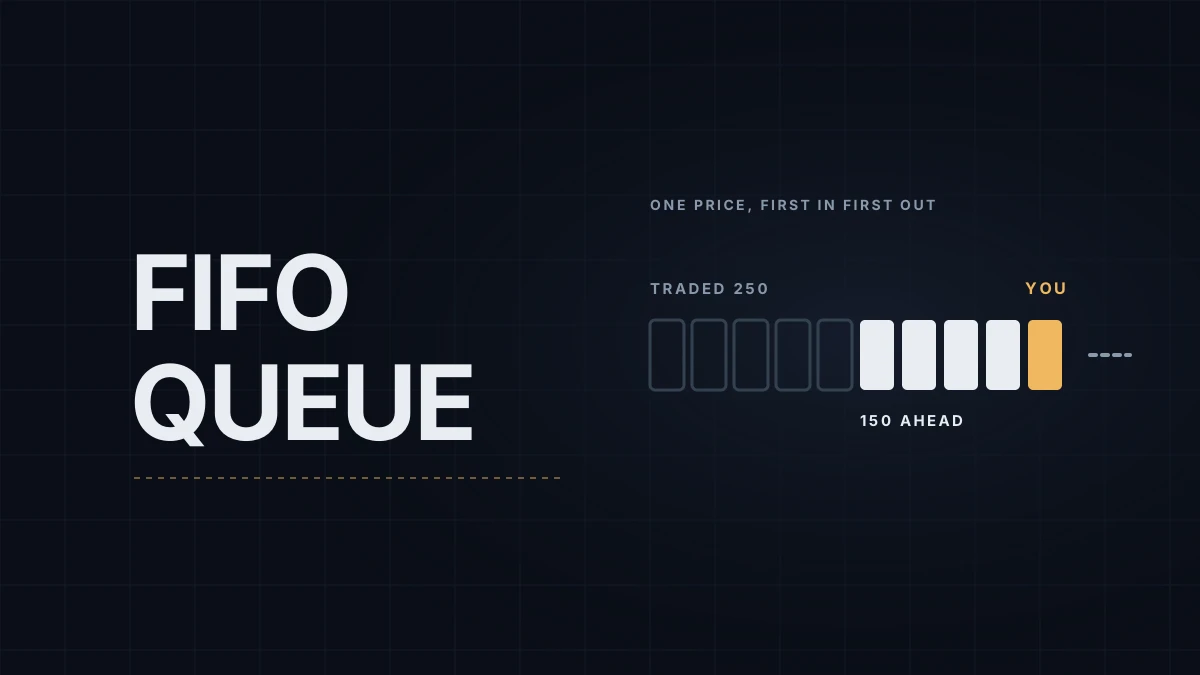
Price touched your limit and you got nothing. Then it reversed and went to your target without you. On NQ that isn't a glitch or a broker playing games. It's how the exchange matches orders.
CME Globex matches NQ with a first-in, first-out algorithm at the time of writing (CME labels it algorithm F in its product reference data). At each price, resting orders form a queue sorted by the time they arrived. When a market order or an aggressive limit comes in, it fills the order at the front of the queue first, then the next, and so on. Price comes before time: a better price always fills first. Among orders at the same price, time decides everything. MNQ uses the same algorithm; the NQ vs MNQ guide covers how else the two contracts compare.
A touch fills the queue, not you
Say NQ trades at 28,010 and you place a buy limit one tick lower, at 28,009.75. The book shows 400 contracts already bid there. Your order joins the back of the line: 400 ahead of you.
Sellers hit the bid and 250 contracts trade at your price. On the chart, price touched 28,009.75. In the queue, 150 contracts are still ahead of you. Then buyers step in, price ticks back up, and the bid at your price is never tested again. Your order sits there unfilled while the market moves away.
That's the most common case behind "price touched my limit and I didn't fill." Price has to trade through your level (to 28,009.50 in this example) before you're certain to be filled, because a trade at a lower price means every buyer at your price was already filled.
What sends you to the back of the line
Your place in the queue is set by the time CME accepts your order. Some changes keep it, others count as a new order. According to CME's Client Systems documentation:
- Increasing the quantity loses your place. The order gets a new timestamp.
- Changing the price loses your place, even if you move it back to where it was a second later.
- Changing the account on the order loses your place.
- Reducing the quantity keeps your place.
Moving a resting target by dragging it on the chart is a price change. If you nudge a profit target one tick and then return it, you're at the back again. Iceberg orders work the same way: every time the visible part fills and the next slice is shown, that slice joins the back of the queue. The iceberg orders post shows how that looks on the tape.
Why sim fills don't match the exchange's
NinjaTrader's simulator only estimates the queue. Sim101 counts the volume quoted and traded at your price to guess when your turn comes, but it can't see real arrivals and cancellations, so its fills can come earlier or later than the exchange's. With Enforce immediate fills switched on it skips that estimate and fills at once, which flatters any strategy that buys bids and sells offers. The Sim101 fills post explains the settings and how to judge sim fills more strictly.
Market Replay is looser still: NinjaTrader sets bid and ask size to 1 during playback, so a replay limit order has almost no queue ahead of it and fills close to a touch.
What to do with it
Limits that need to fill, like an exit when you're wrong, shouldn't rely on a touch. Use a stop or a market order there. For entries at a level, decide in advance whether a missed fill is acceptable. Often it is: a level that gets touched and rejected without trading through didn't give much room anyway.
Some order-flow tools estimate your queue position from the book and the trades at your price. With market-by-order data they can get close. Without it they're guessing at the order of arrivals. The order types guide covers which order fits which job.
Educational content, not investment advice. Futures trading involves substantial risk of loss. Examples are for illustration only. Read the full Risk Disclosure.