NinjaTrader 8 Sim101: Fill Logic, Slippage Settings and Why a Prop Sim Feels Different
A limit order fills on Sim101 and not on the evaluation because two different engines on two different computers decide. How NinjaTrader's local simulator fills market, limit and stop orders, the settings that change it, where slippage lives, and what a Tradovate or Rithmic prop sim does instead.
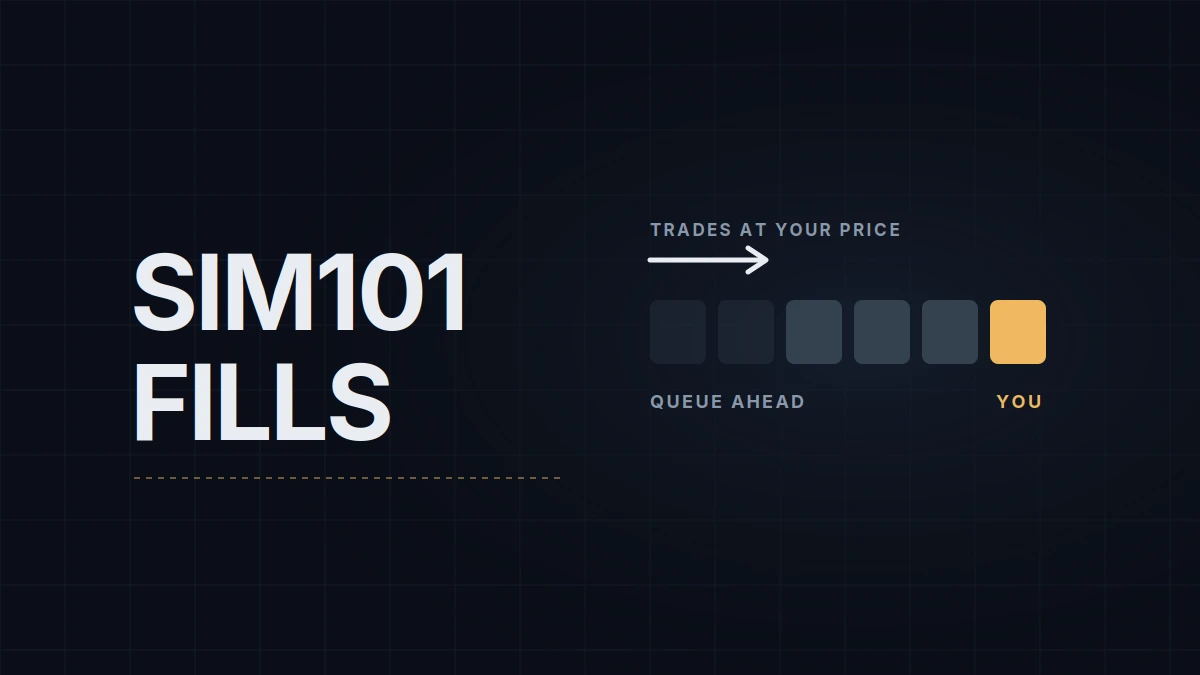
"Why did my limit order fill on Sim101 and not on my prop account?" The two accounts were filled by different engines on different computers. In the Multi-provider setup prop traders use, Sim101 is NinjaTrader's local simulator: its orders never leave your PC and never reach a broker. A prop evaluation connected through Tradovate or Rithmic is a simulated account too, but it's simulated on the provider's server, by the provider's rules, and the settings of your NinjaTrader sim account have no say in it.
NT8 lists Sim101 right next to a connected prop account, which is why the Lucid connection guide warns against trading it by mistake. The platform itself is set up in the NinjaTrader 8 chart setup. This post is about what happens to an order once you send it to either account.
How Sim101 decides a fill
NinjaTrader describes its simulator as more than an engine that fills your order once the market trades at your price. It works from bid and ask volume, trade volume, time (to simulate your position in the queue) and random delays between order states.
A market order fills at the ask for a buy and at the bid for a sell, and it can fill in parts, depending on the volume available.
A limit order is where the queue comes in. In a 2018 description NinjaTrader's founder gave on the company's forum, a buy limit resting at the bid starts with a count of the contracts already bid at that price. The engine then counts contracts traded at the bid, and once more has traded there than was ahead of you, your order starts to fill. A touch of your price doesn't fill it, and neither does a short visit that trades fewer contracts than the queue in front of you. The model assumes you joined at the back of the line. If the engine still works that way, it gives no credit for orders ahead of you that get cancelled, so in a book where resting orders are pulled a lot, it can fill later than the market would.
A stop order becomes a market order when price reaches the stop and fills at whatever the simulated market offers next. Sim101 has no slippage setting; the slippage it does show comes from price moving during its simulated delays and from stops filling at the next bid or ask.
The two settings that change it
Tools › Settings › Trading (the window was called Options before version 8.1.5) has a Simulator section with three entries. Enforce immediate fills skips the advanced fill engine, queue logic included, and fills sim orders immediately. Enforce partial fills forces partial fills on sim orders. Simulation color tints the order windows whenever a sim account is selected, which is worth turning on so a sim account never looks like a live one. There is no latency setting and no slippage setting.
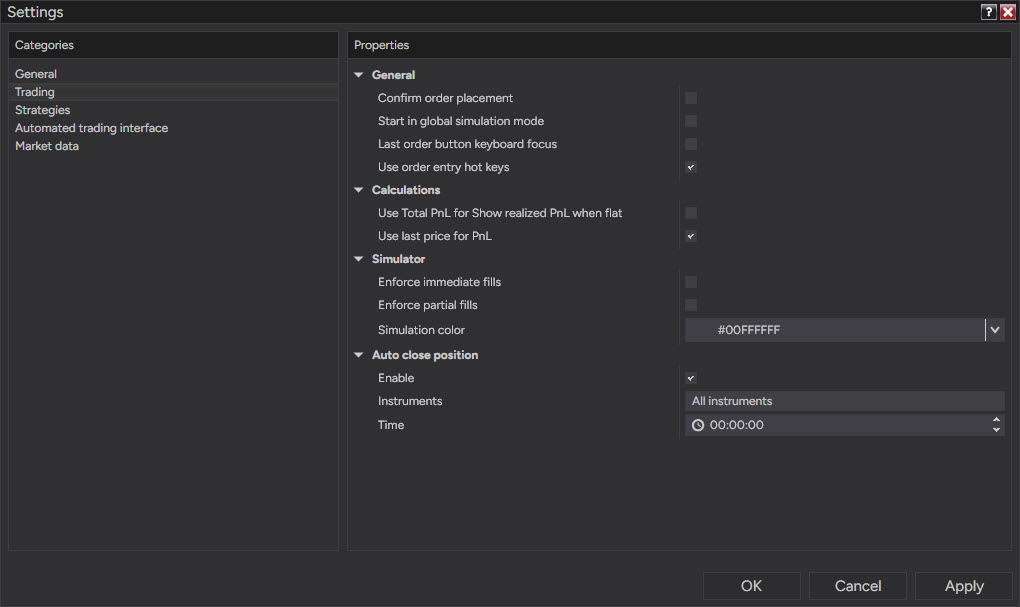
The account has a few settings of its own. Right-click Sim101 in the Accounts tab of the Control Center and choose Edit Account for the initial cash, the commission template and the Reset button, which puts the balance back to the initial cash. Commission templates are created under Tools › Commissions.
Slippage is a backtest setting
The Slippage field people go looking for lives in the Strategy Analyzer (and in the historical fill settings of a strategy running on a chart), next to Order fill resolution and Fill limit orders on touch, and all three apply to historical tests only. NinjaTrader support has stated plainly that Sim101 and Playback101 can't have slippage applied the way a backtest can. Playback101, the account used by Market Replay, runs the same fill engine without the simulated delays: the help guide says its orders are processed immediately and synchronously. The same page notes that bid and ask volume during playback is simulated and set to 1 for futures. By the queue logic above, that leaves one contract ahead of a replay limit order, close to the touch fill the replay post warns about.
Why the prop account feels different
The prop account is filled somewhere else. A prop evaluation or sim-funded account connected through Tradovate is a server-side simulation account, which is why its connection has to say Account type: Simulation. A Rithmic-based account is filled by Rithmic's paper-trading engine. Neither publishes as much as NinjaTrader does. Rithmic has described two ways its engine fills a resting limit order: the market trading through your price, or its estimate of the queue ahead of you running out while there's still trading or opposite-side activity at your price (a 2019 answer Rithmic posted on a broker's forum). Tradovate doesn't publish its sim fill rules; a Tradovate staff member once wrote that they try to mirror real fill algorithms as closely as they can. Topstep's order-type guide for its own platform warns that a limit order may not fill unless the market trades through the price, and says simulated platforms model slippage too.
Distance is the second difference. A Sim101 order goes nowhere, and its delays are random numbers generated on your PC. A prop order travels over the internet to the provider's server and back, and in a fast market the price moves between your click and the server's decision. Add the firm's commissions, which Sim101 knows nothing about unless you give it a matching template, and there are three differences on every trade.
One more wrinkle on NinjaTrader 8.1: with Multi-provider mode off, the simulation connection gives you a server-side sim account on NinjaTrader's servers instead of the local Sim101, one you can also reach from the web and phone apps. Turn Multi-provider on, as the prop setup does, and the local Sim101 is back.
| Sim101 | Playback101 | Prop sim account | |
|---|---|---|---|
| Where fills are decided | your PC | your PC | the provider's server |
| Limit order at your price | queue estimate from the size quoted and traded at your price | the same engine | provider's rule: trade-through or a used-up queue at Rithmic, unpublished at Tradovate |
| Delay | simulated, random | none | the real round trip |
| Slippage setting | none | none | none; it comes from the market |
| Commissions | your commission template | as Sim101 | the firm's schedule |
| Reset | Edit Account › Reset | trade history resets on disconnect or when you drag the slider | the firm's reset fee |
Getting Sim101 closer to the account that pays
Four habits narrow the gap. Leave Enforce immediate fills off. Give Sim101 a commission template that matches the firm's round-turn cost; NinjaTrader charges the per-unit rate on each side, so enter half the round turn. When you judge a limit-order entry, count it as filled only if price traded through it, the same discipline the replay post recommends for Playback101. And read market and stop fills in a fast market as the best case you'll get.
What Sim101 does well is mechanics: an ATM template, a hotkey, an add-on's behavior. The P&L it prints is a rehearsal. That's the only job it has on my platform: a new ATM template or an add-on gets its first hour on Sim101 before it goes near an account that pays out.
Educational content, not investment advice. Futures trading involves substantial risk of loss. Examples are for illustration only. Read the full Risk Disclosure.