Trade Copier Setup in NinjaTrader 8: Master, Followers, Brackets and Contract Ratios
Two ways a copier can close a follower, and only one of them survives a crash. Installing a copier add-on in NinjaTrader 8, picking the master and followers, what happens at entry, at a stop move and at exit, how to read the sync column, and why a 1:1 quantity rule is a feature.
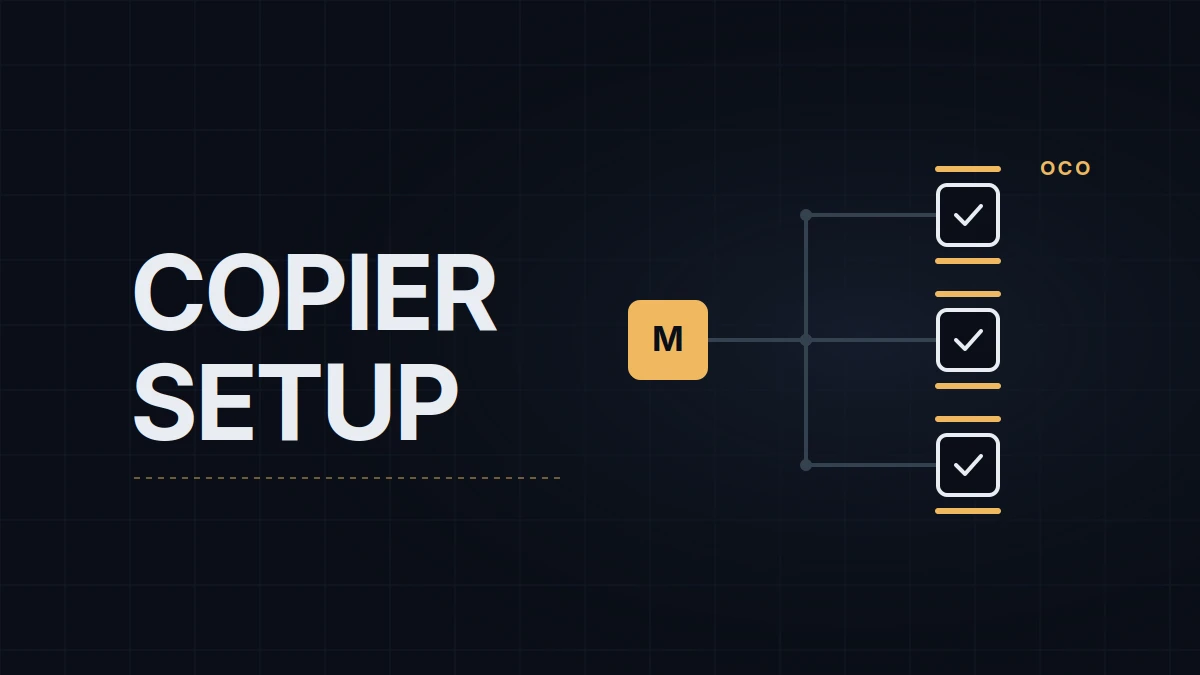
A trade copier repeats what one account does on other accounts. The part of the definition that matters is the word "repeats", because there are two ways to repeat an exit, and they behave differently on the day NinjaTrader freezes with a position open. This NinjaTrader trade copier setup uses the WotT TradeCopier, a free add-on for NinjaTrader 8, on the chart layout from the pillar, and it starts with that design choice because everything in the window follows from it.
Market-exit or orders-mode
In a market-exit copier the follower has a position and nothing else. When the master's stop fills, the copier sends a market order to flatten the follower. It is simple, it handles any quantity ratio, and it means the follower is protected by the copier's process rather than by an order: if NinjaTrader, the PC or the connection dies while the trade is open, the follower is naked until you notice. In orders-mode the follower receives its own stop and target as an OCO pair (one cancels other) on the broker's server the moment its entry fills, at the master's prices. The copier then keeps those orders in step with the master's, and if the copier dies the orders don't. The cost is rigidity: the follower's orders mirror the master's one for one, which is why this design goes together with a 1:1 quantity rule.
Cloud copiers, which run on a vendor's servers and copy through broker APIs, are usually market-exit with a multiplier and a subscription. In-platform add-ons run inside NinjaTrader and die with it, which is why orders-mode matters more for them. The WotT TradeCopier is an in-platform, orders-mode copier, version 1.0 at the time of writing.
Before installing
- NinjaTrader 8, 8.1 or later, on Windows.
- Every account you want to copy to has to be visible in the same NinjaTrader instance. Sub-accounts under one Tradovate login all appear after one connection; accounts on other connections appear once those are connected too.
- Entries through Chart Trader with an ATM strategy that places the stop and, if you use one, the target. The copier reads the master's stop and target from the orders themselves, by type and direction, so a bracket placed by hand works too; a trailing stop that moves every tick sends a modification to every follower every tick, which is a load to avoid in a fast market.
- The same position size on every account, including the master. The reason is in the ratios section.
- A firm that allows copiers between your own accounts. The rules post has the wording for the main ones, and the multiple accounts post has the math of whether you want to.
Setup
- Import the add-on. Download the zip from the tool page, then in the Control Center: Tools › Import › NinjaScript Add-On, pick the file, restart NinjaTrader when asked. The import post covers the dialog and the errors it can throw.
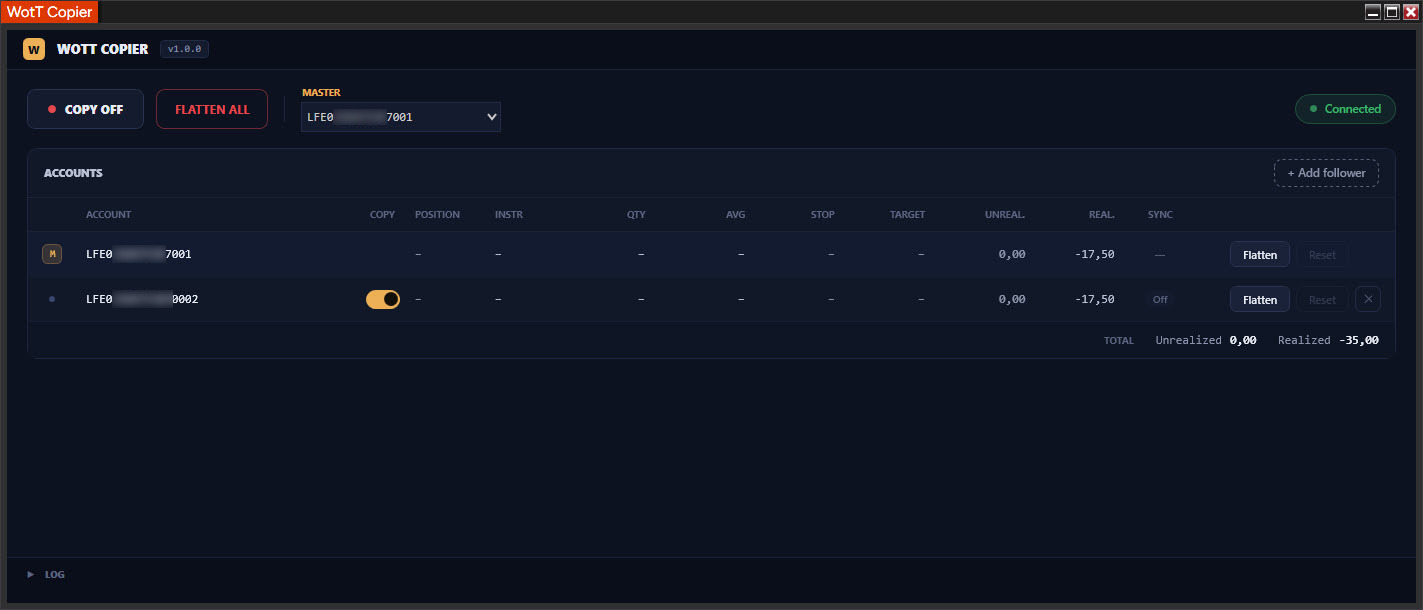
- Open the window. Control Center › New › WotT Copier. There is only ever one; clicking the menu item again brings the existing window forward instead of opening a second engine.
- Pick the master. The dropdown in the top bar lists every account NinjaTrader knows about. The master is the account you trade from.
- Add the followers. Press "+ Add follower" above the accounts table and pick the accounts that should copy the master; each follower row then has its own COPY toggle (gold means copying). Settings save on their own and survive a restart. Copying itself does not: every session starts with copying OFF, so a restart with yesterday's orders still on the books can't fire entries before you have looked at the screen.
- Dry run on simulation accounts first. In the Control Center's Accounts tab, right-click and add two extra simulation accounts, make Sim101 the master and the new ones the followers, and trade a few entries. Everything below should show in the Orders tab before a live account is involved.
- Press COPY ON. It is the only button that has to be pressed each session.
What happens on a trade
Entry. The master's fill triggers a market order on every enabled follower for the same quantity, and the follower's row shows Pending until its fill comes back. A follower whose order is rejected or unfilled after 5 seconds goes into quarantine: marked Desync, it receives no further orders (including exits) until you press Reset on its row, which the copier allows only when the account is flat.
Brackets. As soon as the follower is filled and the master's stop and target exist, the follower gets its own OCO pair at the same prices, visible under its account in the Orders tab with names starting WCOP_. If the ATM places the master's bracket a fraction of a second after the fill, the follower's appears a fraction of a second after that. A master with only a stop gives the follower only a stop.
Moving the stop. Drag the master's stop or target in Chart Trader and each follower's order is modified to the new price, with a tolerance of one tick, so a move smaller than that sends nothing. Cancel the master's target by hand and the follower's target is cancelled too. Cancel the master's stop and every follower is now a position without a stop, which the copier reports as NoProtection with an alarm; it does not flatten on its own unless you switched that option on.
Exit. When the master's stop or target fills, the follower's own order at the same price fills on the broker's side; the copier checks that everyone is flat within 3 seconds and cancels any leftover WCOP_ order. A manual flatten on the master sends market exits to the followers. Partial exits are copied as partials, and the follower's bracket quantities follow.
Reconciliation. Once a second the copier compares what every follower should hold against what it does hold, and the sync column is the result.
| Sync | Meaning | What to do |
|---|---|---|
| Ok | Position matches the master and the stop is working | Nothing |
| Pending | An order was sent less than 5 seconds ago | Wait |
| Desync | Position differs from the master after 5 seconds, or an order not placed by the copier appeared on the account | Account is quarantined; flatten it or fix it by hand, then Reset |
| NoProtection (shown as NO SL) | A position with no working stop | Put a stop on it or flatten; this is the alarm you configure a sound for |
| Off | Copying is off for this account, or for the whole engine | Switch it on when you mean to |
The copier only touches orders whose names begin with WCOP_. An order placed by hand on a follower, or a position from somewhere else, quarantines the account rather than being "fixed", because a copier that guesses is worse than one that stops.
FLATTEN ALL cancels every copier order and closes every position, followers first, then the master. It works with copying OFF and with accounts in quarantine, which is the point of a panic button. Each row has its own Flatten for one account.
Contract ratios
Copiers built around market exits usually offer a ratio: two contracts on the follower for every one on the master, or one E-mini Nasdaq-100 (NQ) on the master mirrored as ten Micro E-mini (MNQ) on a follower. Version 1 of the WotT TradeCopier copies 1:1 and nothing else, by choice. The reconciliation check compares quantities exactly; a ratio of 1:1.5 has no integer answer for a one-contract entry, and a mini-to-micro crossover puts a different instrument with different fills on the follower, so "does the follower match the master" stops having a yes-or-no answer, and orders-mode depends on that answer being exact.
The effect of a ratio is available anyway: size the master to the smallest account and keep every follower identical to it, which is what the same-size rule in the requirements list means. What a 1:1 copier can't do is trade a 50K account at twice the size of a 25K from the same chart, and that is the trade-off for brackets that survive a crash.
When something goes wrong
A follower fills a tick or two worse than the master. That is a market order in a moving market; the stop and target sit at the master's prices regardless, so the follower's risk is the master's plus the slippage.
NinjaTrader crashes with positions open. The followers' brackets are on the broker's server and keep working. On restart the copier finds the leftover WCOP_ orders and positions, shows a banner, and waits for you to choose between cancelling the orphans and flattening. Copying is OFF.
An entry is rejected on one follower only. Usually a contract cap or an instrument the account isn't permitted to trade. That account is quarantined, the others continue, and the log under Documents\NinjaTrader 8\WotTCopier\logs has the rejection text with a timestamp.
You turned copying OFF with a position open. The followers keep their positions and their brackets, after a warning. The brackets are the protection, and the copier does not remove protection when it stops.
My own accounts are the same size and the master is one of them, so the ratio question never comes up, and the sync column is the thing I look at before every entry, not the P&L.
Educational content, not investment advice. Futures trading involves substantial risk of loss. Examples are for illustration only. Read the full Risk Disclosure.