NinjaTrader Trading Hours Templates: RTH vs ETH, Session Breaks and Why Your Levels Change
Every NinjaTrader 8 chart takes its session from a trading hours template, and the template decides what "yesterday" means for prior-day levels, where VWAP and session profiles start, and where range bars break. RTH vs ETH on NQ, the hour most traders don't expect, and how to build your own.
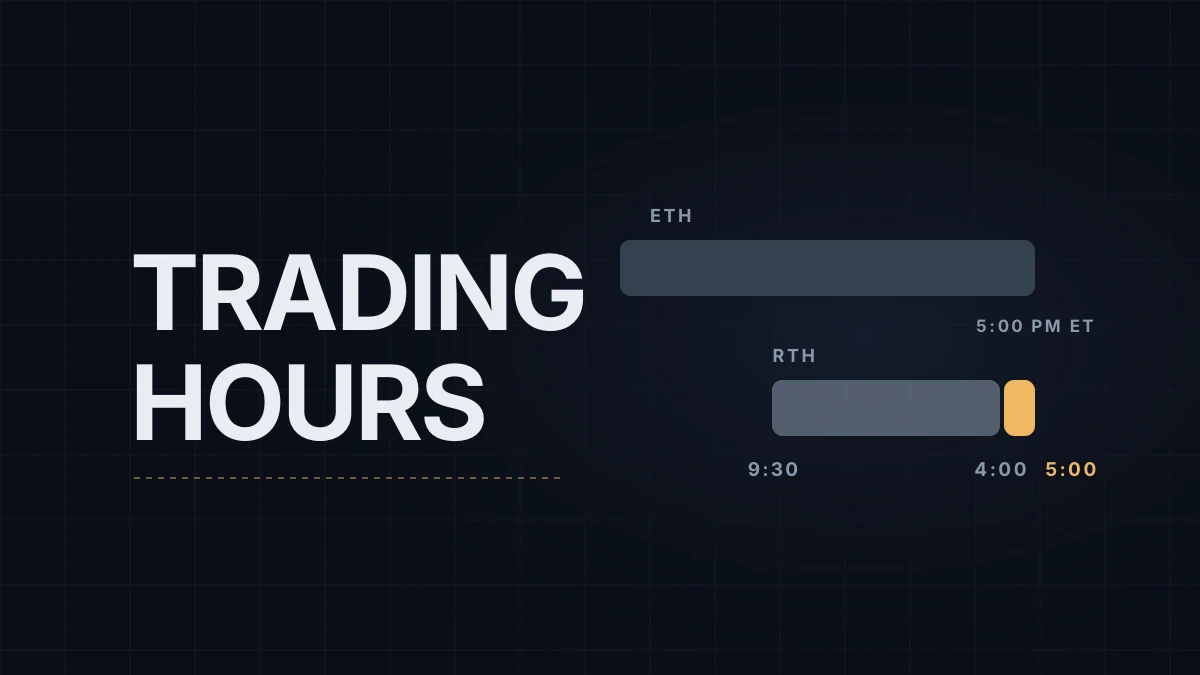
Set an NQ chart in NinjaTrader 8 to regular trading hours and it still prints bars until 5:00 PM ET. NinjaTrader's built-in CME US Index Futures RTH template runs from 8:30 AM to 4:00 PM Central time, which is 9:30 AM to 5:00 PM in New York, while the stock market closes at 4:00 PM ET. NinjaTrader support has described the later end as deliberate: CME removed the short afternoon trading halt in equity index futures in June 2021, and the template now runs to the start of the daily maintenance break.
That extra hour is one example of a bigger point: every chart takes its session from a trading hours template, and the template quietly decides what "yesterday" means for your levels. This post covers what a NinjaTrader trading hours template contains, what changes when you switch NQ between RTH and ETH, and how to build your own. The chart itself is assumed to be set up as in NinjaTrader 8 chart setup.
What a template is
Templates live in the Control Center under Tools › Trading Hours. Each one holds four things:
- Sessions, each with a start day and time and an end day and time.
- An EOD flag on the session that ends the trading day. Whatever counts per day (prior-day levels, daily resets, bars that break at the session end) follows this flag.
- A time zone that the session times are written in. CME templates are written in Central time; your platform converts them.
- A holidays list, with types such as Full Day, Early Close and Late Open.
NinjaTrader ships the common templates and updates them, holidays included, from its data server. Rather than edit a built-in template, copy it and edit the copy, so the original stays as NinjaTrader ships it.
RTH and ETH on NQ
| CME US Index Futures ETH | CME US Index Futures RTH | |
|---|---|---|
| Session in ET | Sunday 6:00 PM to Friday 5:00 PM, with a daily break from 5:00 to 6:00 PM | Monday to Friday, 9:30 AM to 5:00 PM |
| Same session in Central Europe | 00:00 to 23:00, break 23:00 to 00:00 | 15:30 to 23:00 |
| What's inside | Asia, London and the US day | The US day plus the hour after the stock market closes |
The European times hold in normal weeks, when both continents are on summer time or both on standard time.
A chart picks its template in the Data Series window (right-click the chart and choose Data Series, or press Ctrl+F) under Trading hours. The default, <Use instrument settings>, takes whatever the instrument is set to in Tools › Instruments. NinjaTrader support says the E-mini S&P contracts default to the ETH template; NQ's own entry in Tools › Instruments shows which one your install uses for the Nasdaq contracts.
I run my charts on ETH. Most of the hours I trade fall before 15:30 Central European time, when an RTH chart is still empty.
What changes when you switch
Prior-day levels. The Prior Day OHLC indicator takes its "prior day" from the template of the series it's calculated on. On ETH, yesterday's high and low include the overnight session, Asia and London. On RTH they include only the US day, plus that hour after the close. When a large company reports at 4:05 PM ET and NQ jumps 100 points before 5:00 PM, that jump becomes part of the RTH "prior day high" in NinjaTrader and isn't part of it on a platform that ends the session at 4:00 PM. You can keep an ETH chart and still plot RTH levels by adding a second data series with the RTH template and using it as the indicator's input series; the lines then draw only once that series has bars, from the RTH open, not during the overnight session. Key levels on NQ covers why these levels matter in the first place.
Three different closes. Daily bars from NinjaTrader's historical data cover the full ETH session, and where the data provider supports it, their close is CME's daily settlement price, set around 3:00 PM Central (4:00 PM ET). An intraday chart on either built-in template ends its day at 4:00 PM Central, so its prior close is the last trade before the 5:00 PM ET break. A third platform that closes the day at 4:00 PM ET gives a third number. None of them is wrong; they are three definitions of "close".
VWAP. With its reset set to Session, Order Flow VWAP starts at the session start of the chosen trading hours: 6:00 PM ET the evening before on ETH, 9:30 AM on RTH. The two lines can sit 20 or 30 points apart on a trending morning. VWAP on NQ explains what each version measures.
Session profiles. Order Flow Volume Profile draws one profile per session of its trading hours setting. An ETH chart can draw RTH profiles; an RTH chart can't draw ETH ones.
Range, tick and volume bars. With Break at EOD switched on in the Data Series window, these bars are cut at the session end even if they aren't complete, so the first bar of the new session starts fresh. Switched off, a bar can carry across the break. That changes where bars end on a range chart for the rest of the day, which matters if you compare screenshots or backtests between the two settings.
Session lines from indicators that bring their own data don't move with the template. WotT Session Key Levels, for example, loads its own 24-hour series, so its London and New York levels look the same on an RTH or ETH chart.
Building your own template
The most common custom template on NQ is an RTH session that ends at the stock market close:
- Open Tools › Trading Hours, select CME US Index Futures RTH and click copy.
- Give the copy a name you'll recognize, such as "NQ RTH cash close".
- Leave the time zone on Central and change the end time of each weekday session, Monday through Friday, from 4:00 PM to 3:00 PM (4:00 PM ET).
- Check that EOD is ticked on each of the five sessions.
- Holidays come over with the copy; if they don't, right-click the holidays grid and use Load Holidays from Trading Hours.
- Click Apply, then pick the new template under Trading hours in the chart's Data Series window.
A trader who wants European-morning statistics can do the same with a session written in Central European time, for example 09:00 to 15:30.
Clock changes and holidays
Templates are written in the exchange's time zone, and NinjaTrader converts them to the time zone of the platform, which by default is the PC's. Daylight saving follows Windows' time zone rules, so during the week of October 26 to 30, 2026, when Europe has changed clocks and the US hasn't, an RTH chart on a European PC starts at 14:30 instead of 15:30 without any change on your side. A custom template written in European time won't follow New York in that week, and neither will an alert you set by hand. NQ trading hours around daylight saving has the full table.
Holidays and early closes come from the same templates, and NinjaTrader updates them from its data server. On a US holiday the template ends that day's session early through an Early Close entry, so the chart shows a short trading day. Thanksgiving, Thursday, November 26, 2026, is the next one; the CME session times are in NQ holiday trading hours.
Educational content, not investment advice. Futures trading involves substantial risk of loss. Examples are for illustration only. Read the full Risk Disclosure.